What HydraSolver does
Build any spot, solve it, study the strategy and train against it. Hold’em, Short Deck, PLO4, PLO5, PLO6 and Omaha Hi-Lo, stud and draw, cash or tournament, on your own Windows PC.
Build
Set up any spot in minutes.
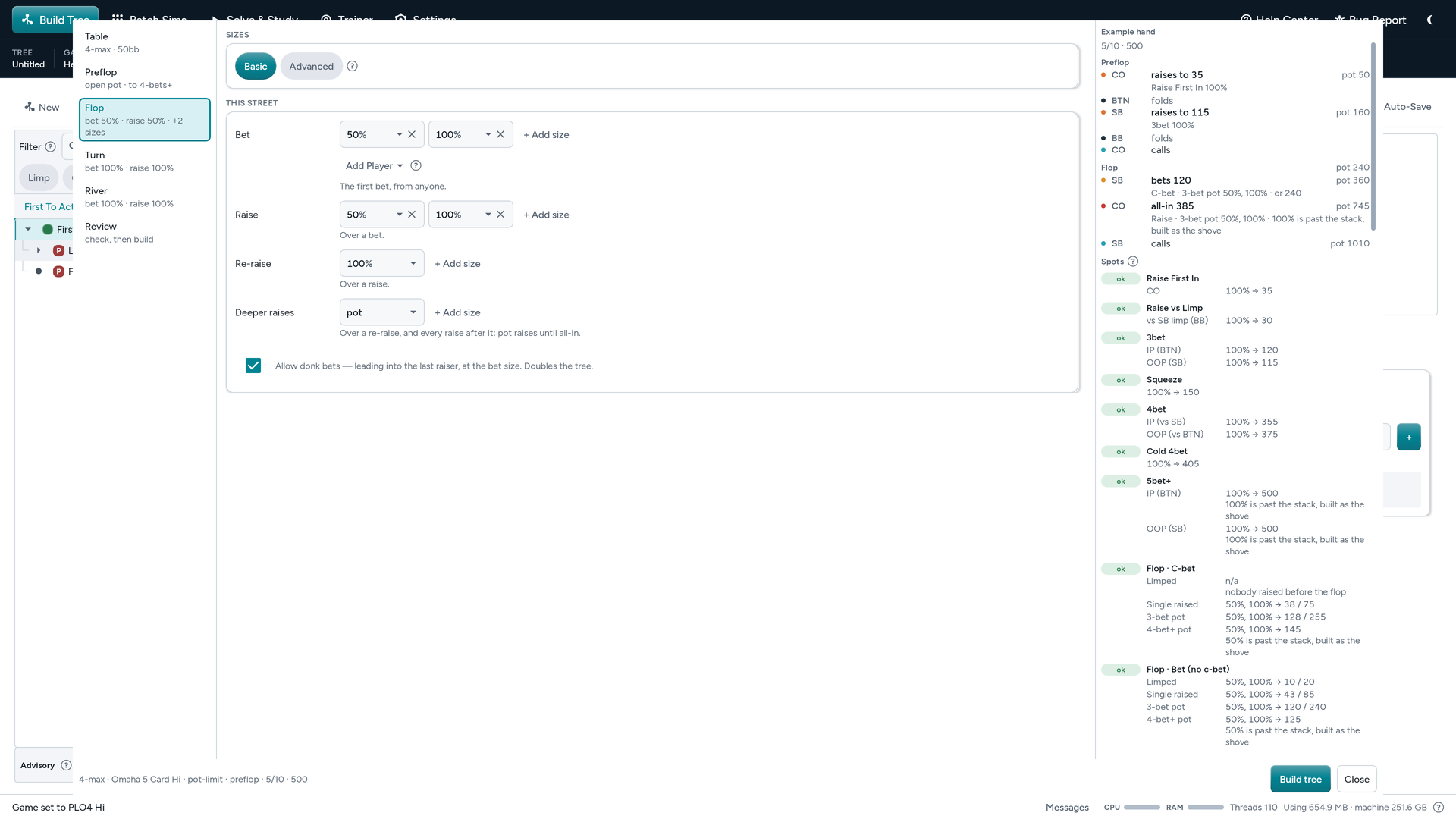
- Tree Wizard Pick the game, table, stacks, who can limp and call, and the bet sizes, and the wizard builds the tree. Update this tree changes it later and keeps your hand edits.
- Action configs and Bet Sizing Studio Choose who may limp or cold-call with an action config. Save the sizes you use as presets in Bet Sizing Studio.
-
Import ranges
Paste or drop ranges from PPT, Pio, GTO+, CSV or
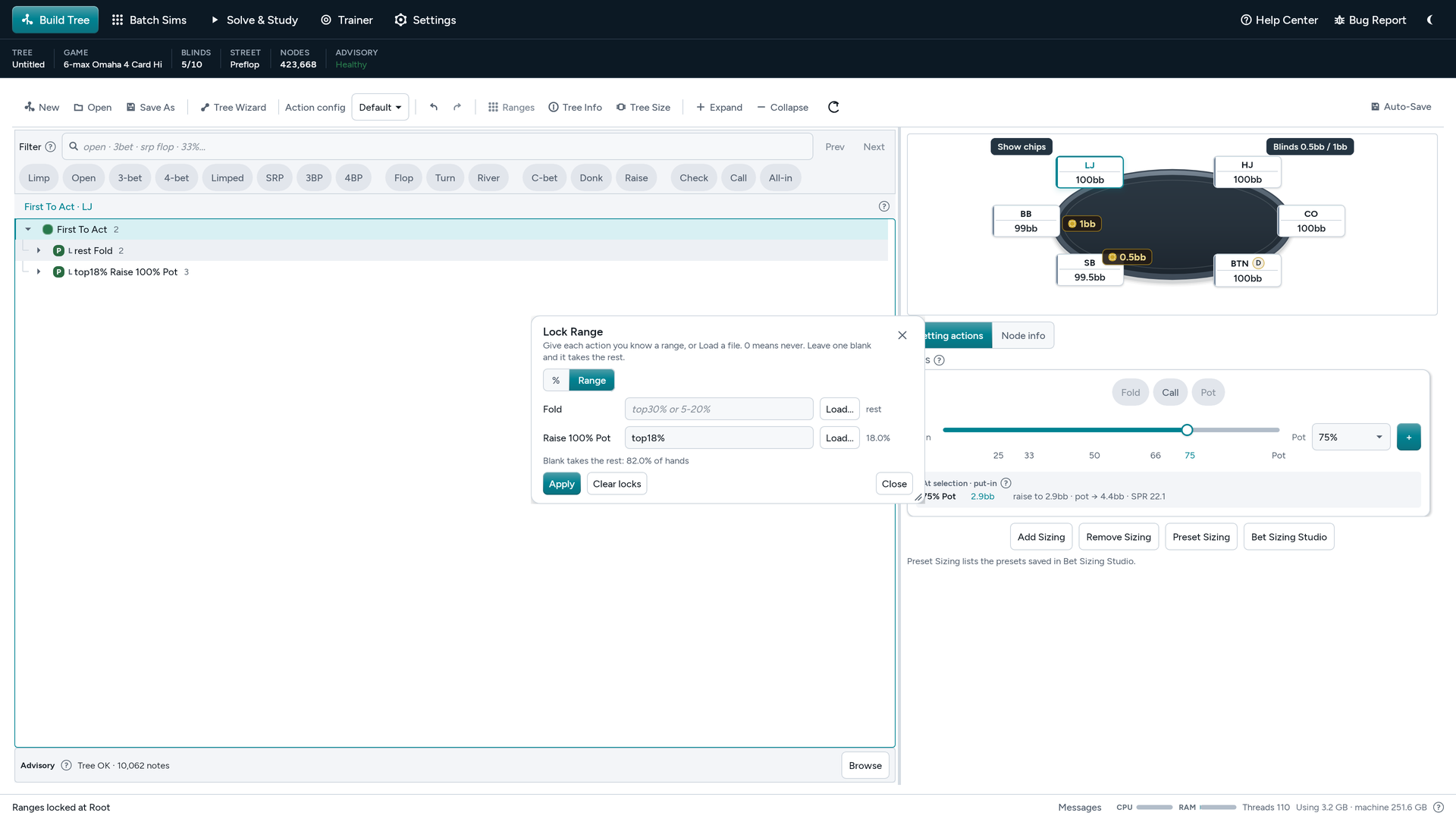
.p4rgfiles, or type them (top10%,$ds). - Lock a player’s strategy Right-click any spot in Build Tree and lock how often a seat takes each action. Preflop and on a sim’s first street, lock the exact hands instead, from a range or a file.Hold’em and Short Deck add a 13×13 hand chart: paint the hands a seat plays at that spot.
- Postflop from a preflop solve Open a preflop solve, go to any flop and click New postflop sim. The ranges come with it, so there is nothing to export or paste.
- Checks the tree before you solve See the RAM a tree needs before you press Start, and pick the Detail that fits your machine. The Advisory strip flags missing actions, chip mismatches and lines that never reach later streets. Review fixes shows each fix before you apply it.
Solve
Start, pause, resume, or run a batch.
- Exact where it can be Heads-up river sims solve exactly in every game, every hand by itself. Heads-up Hold’em and Short Deck flop and turn sims solve exactly too when they fit in memory, and so do three-handed Hold’em turns. See the proofs.
-
Pause, resume, stop
Pause and pick it up later, or stop and keep what you have. Save as
.hdrand carry on another day. - Live metrics and Auto Exploitability, Convergence, Volatility and each seat’s EV sit across the top of the Solve screen. Auto pauses and saves the solve when Exploitability, Convergence or Volatility reaches your target, or after a set time.Auto-stop rules stay on until you untick them, so every solve and every board in a batch stops at the same standard.
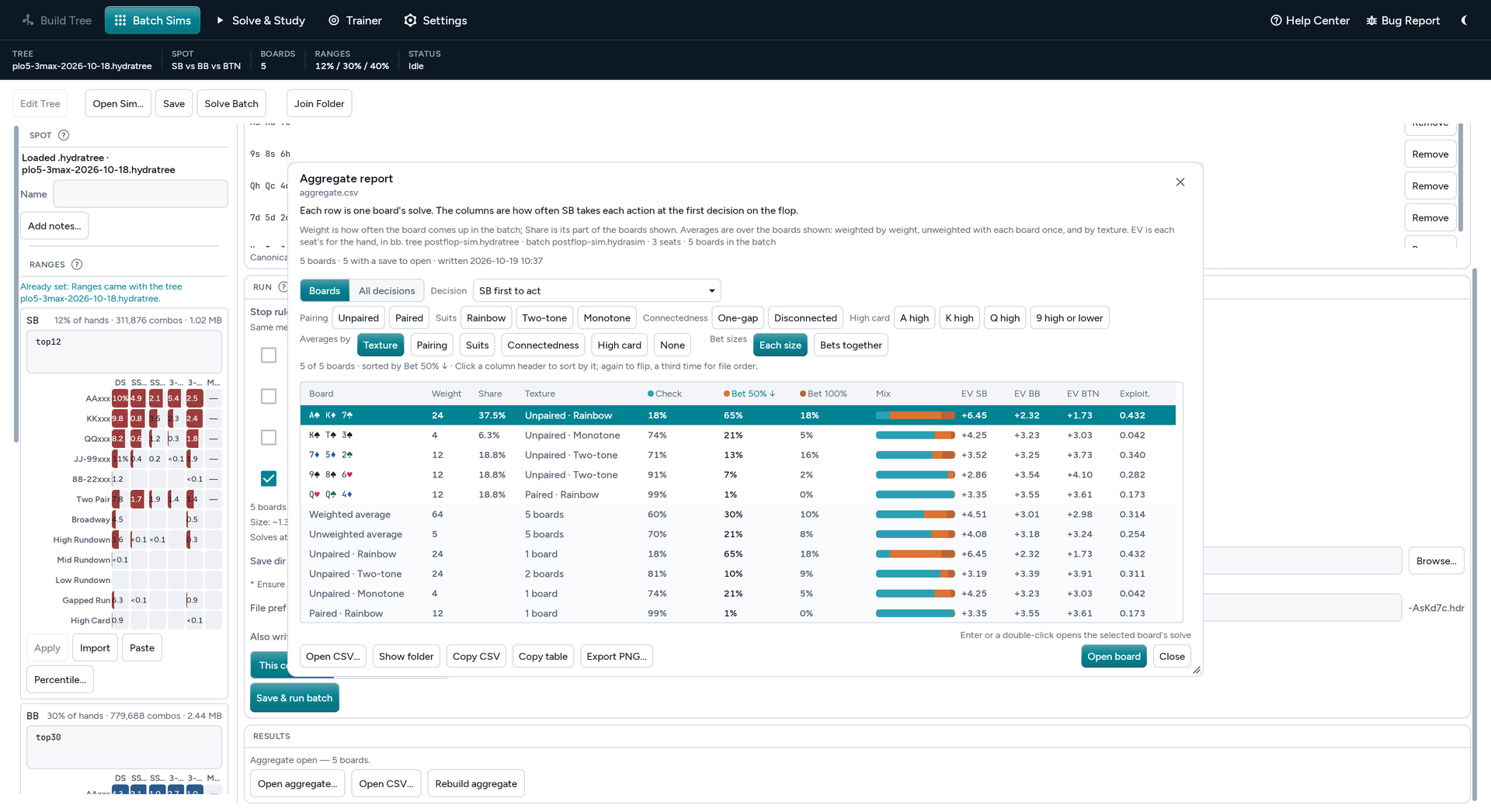
- Batch sims Run one spot on 10, 25, 100 or all 1,755 flops, on every turn or river, or on your own list of boards. Run it on this computer or split it across several, and read the results in one aggregate report.The report covers every first-street decision and each seat’s EV, by texture, and groups turn and river batches by the card that came.
- Solve Turn and Solve River Pick a turn or river card and solve that spot on its own, or send every card to a batch.
- Threads and RAM Choose how many threads HydraSolver uses and the most RAM it can take.
Read
Every hand, every action, every EV.
-
List View
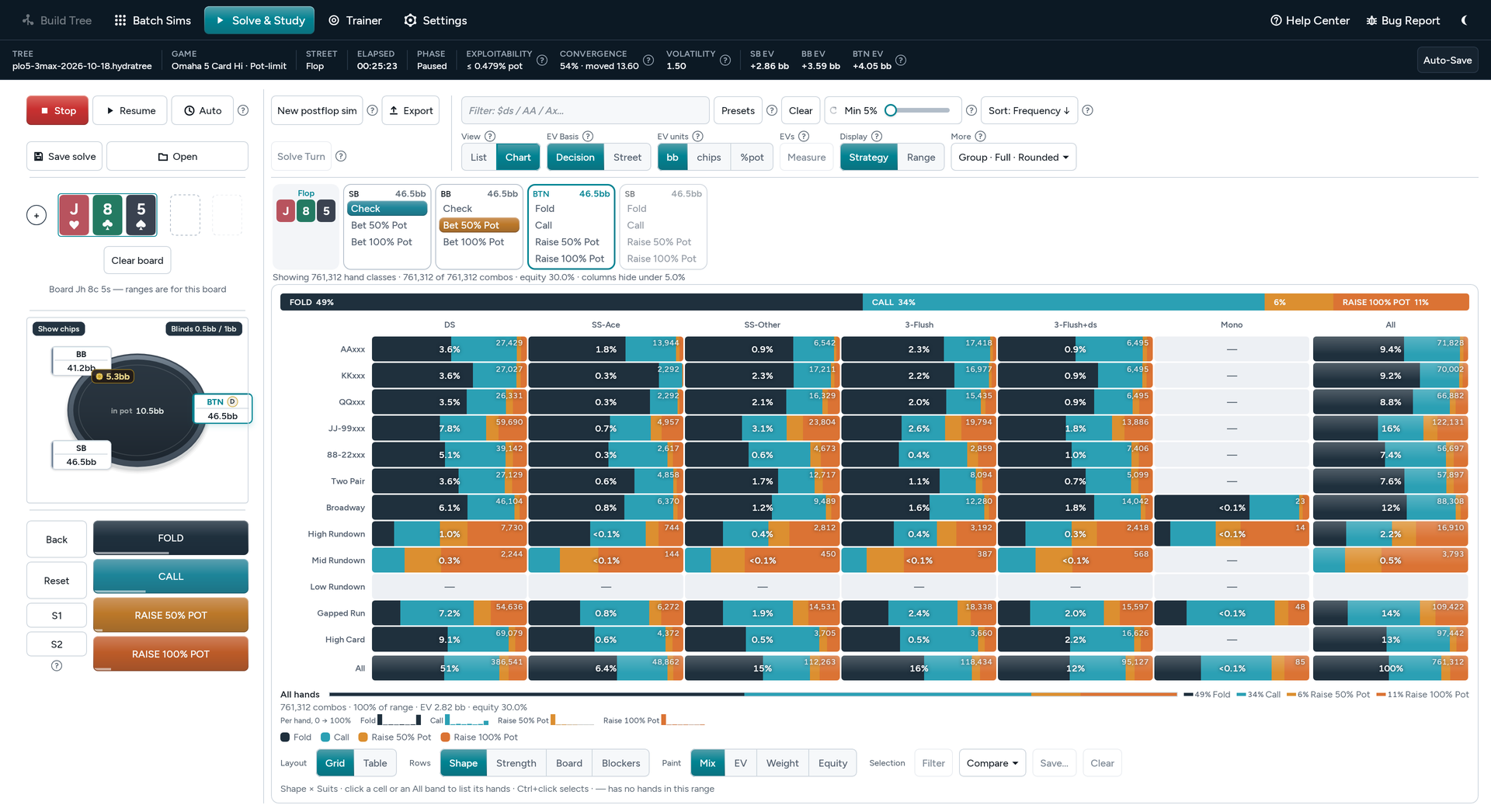
Every hand under each action with its frequency, EV and combos. Filter with common syntax (
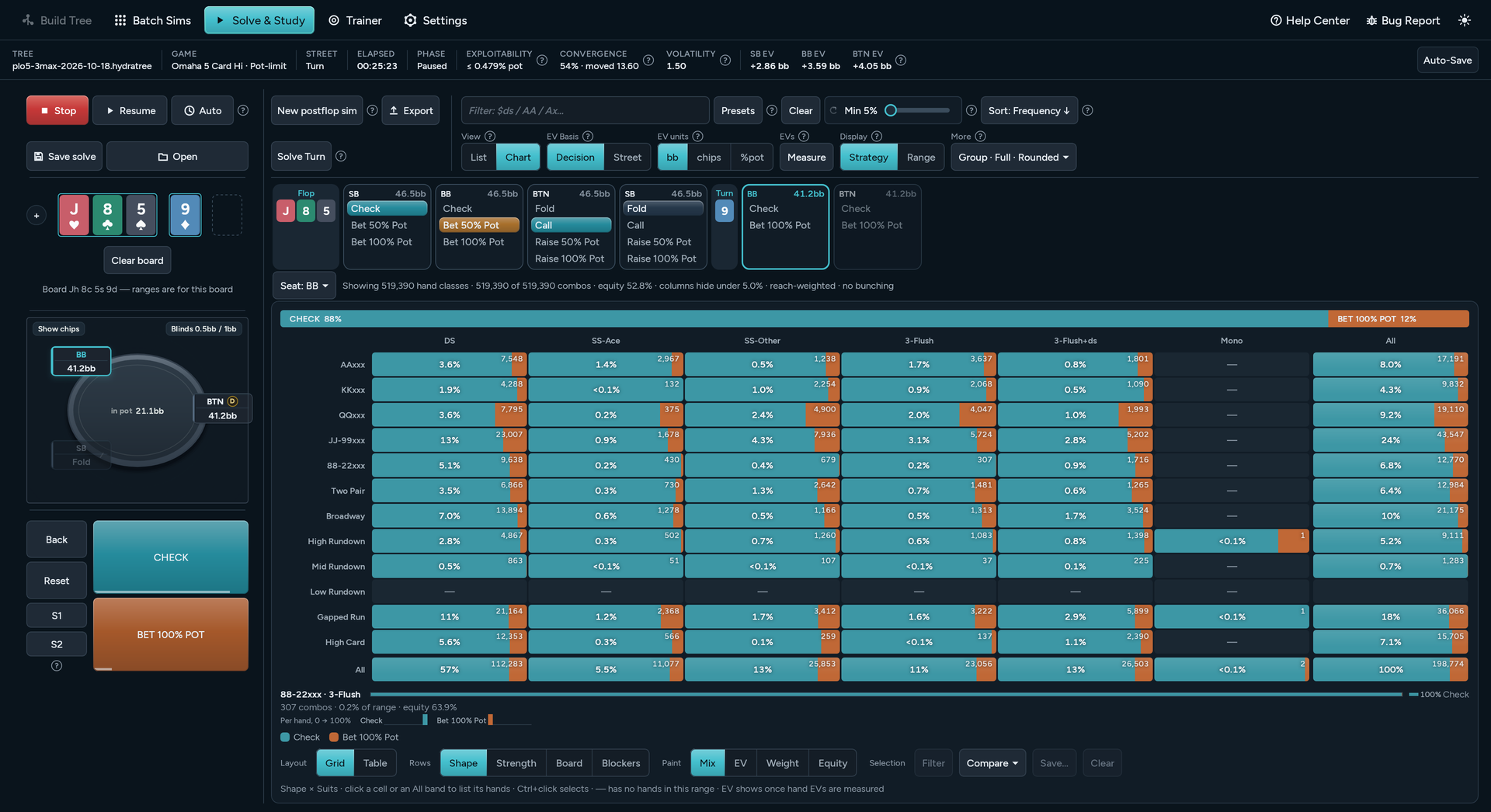
$ds,AA,KK8x), group hands or show every combo, and sort any column. - Chart View The 13×13 grid for Hold’em; hover a hand for its combos. Omaha breaks the range down by hand class and suit shape, or by strength, board or blockers: nut hands, sets, wraps and nut flush draws. Paint by action mix, EV, weight or equity.
- EVs your way Show EVs in bb, chips, % of pot or $ in tournaments. EV Basis counts each hand’s EV from this decision, where folding is 0, or from the start of the street.
- Compare Set a spot beside another spot, or the same spot in another solve, and the chart paints how each hand’s play changed: a lock on and off, ICM against chips, two bet sizes.
- Preflop Overview Every seat’s preflop game on one page: its first-in mix, its answer to each open and to each 3-bet. Click a line to open that spot.
-
Find a line
Ctrl+F opens Find lines. Type part of a line, such as
Call › 33%, and jump straight to that spot. - Favourites and notes S1 and S2 keep two spots one click away (Ctrl+B), and Ctrl+N leaves a note on any spot. Both are kept on this computer for each file you open.
Train
Play the spots, graded by EV.
-
Built-in Trainer
Load any
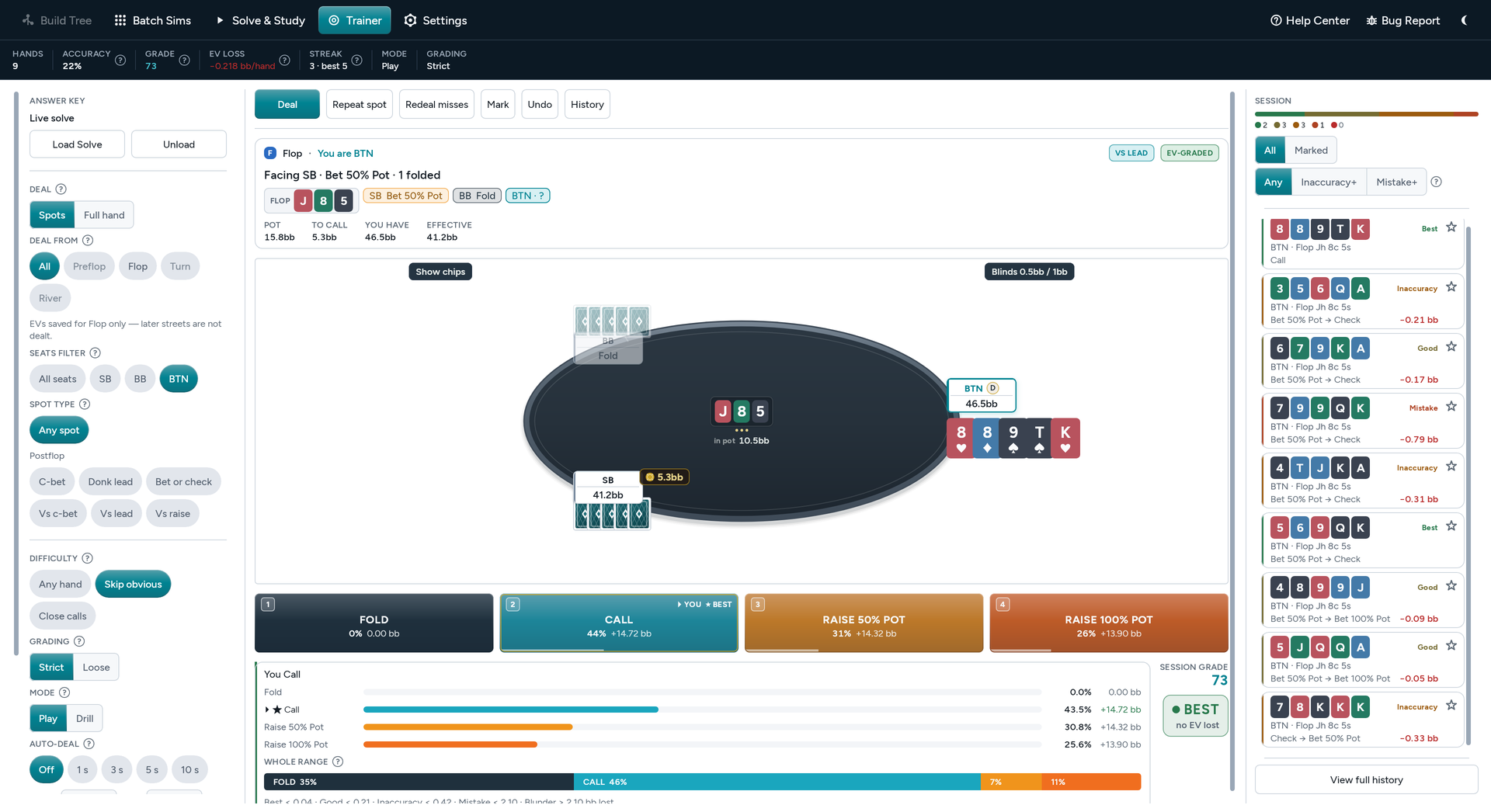
.hdror.hdssolve, or click Open in Trainer when you open one. Spots come up as often as the solve reaches them. - Graded by EV Each decision is graded by the EV it loses, from Best to Blunder. Choose Strict or Loose grading on bet sizes.
- Train what you choose Deal from any street, filter by seat and spot type, and skip the obvious hands to work on close calls. Play keeps dealing; Drill pauses after a mistake until you press Continue.
- Play a full hand Full hand deals a whole hand from the top of the tree: the other seats play their cards as the solve does, and you answer each of your decisions on every street, to the showdown or the last fold. Replay hand plays the same cards again.
- The whole range, and Auto-deal Under each verdict, see how the whole range plays the spot as well as your hand. Auto-deal deals the next hand on its own a few seconds after each answer.
- Redeal misses Redeal the spots you got wrong until they stick, or press Repeat spot to play the same spot with a new hand.
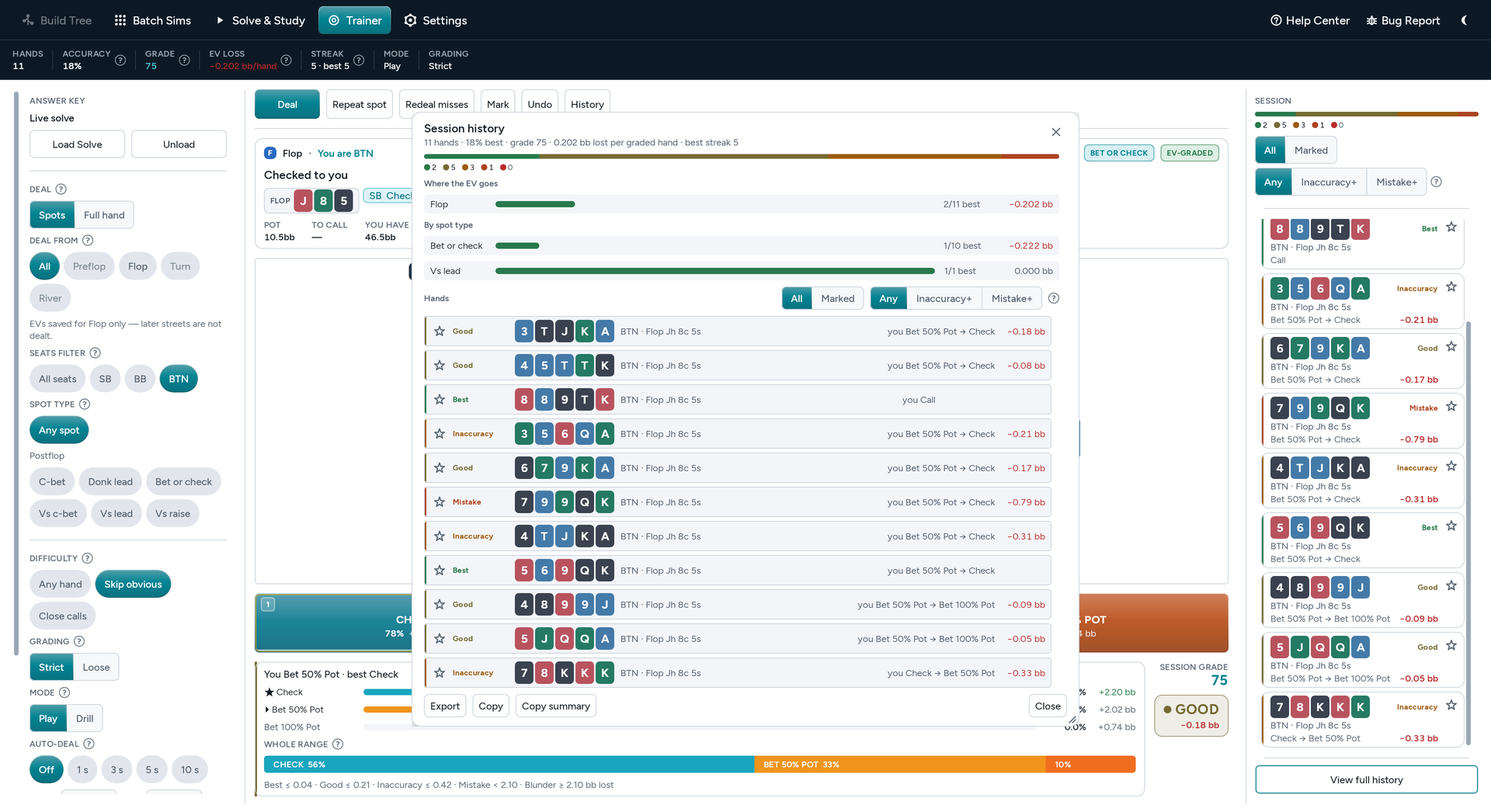
- Session history Tracks accuracy, grade, streak and EV lost per hand. History shows where the EV goes, by seat and by spot type. Export as TSV.
Games
Every game you play, in one solver.
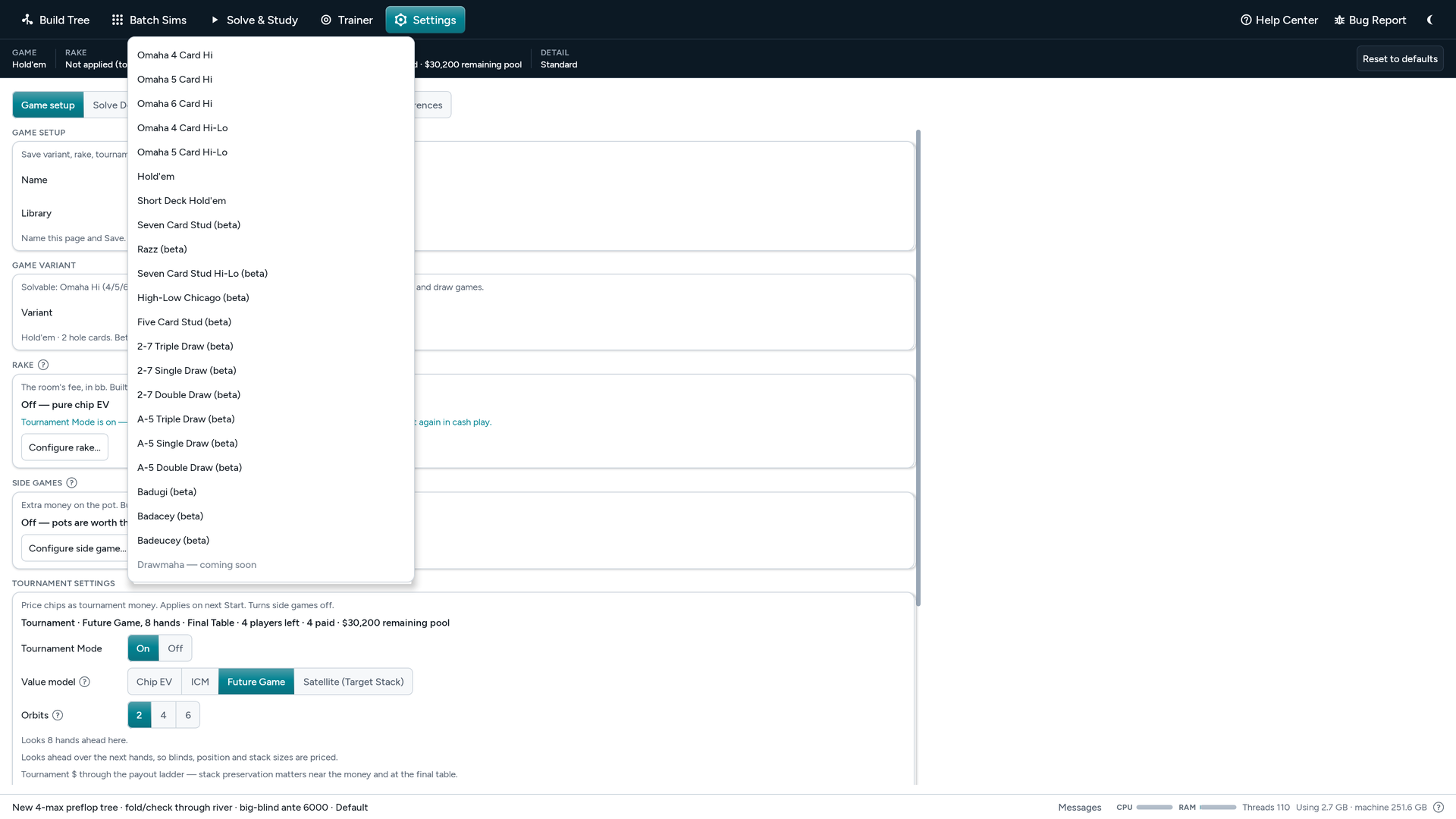
- Hold’em and Omaha Hold’em, Short Deck (6+), Omaha 4, 5 and 6 Card Hi, and Omaha 4 and 5 Card Hi-Lo (8 or better). Heads-up to 9-max (8 in five-card Omaha, 7 in six-card), pot-limit, no-limit or fixed-limit.
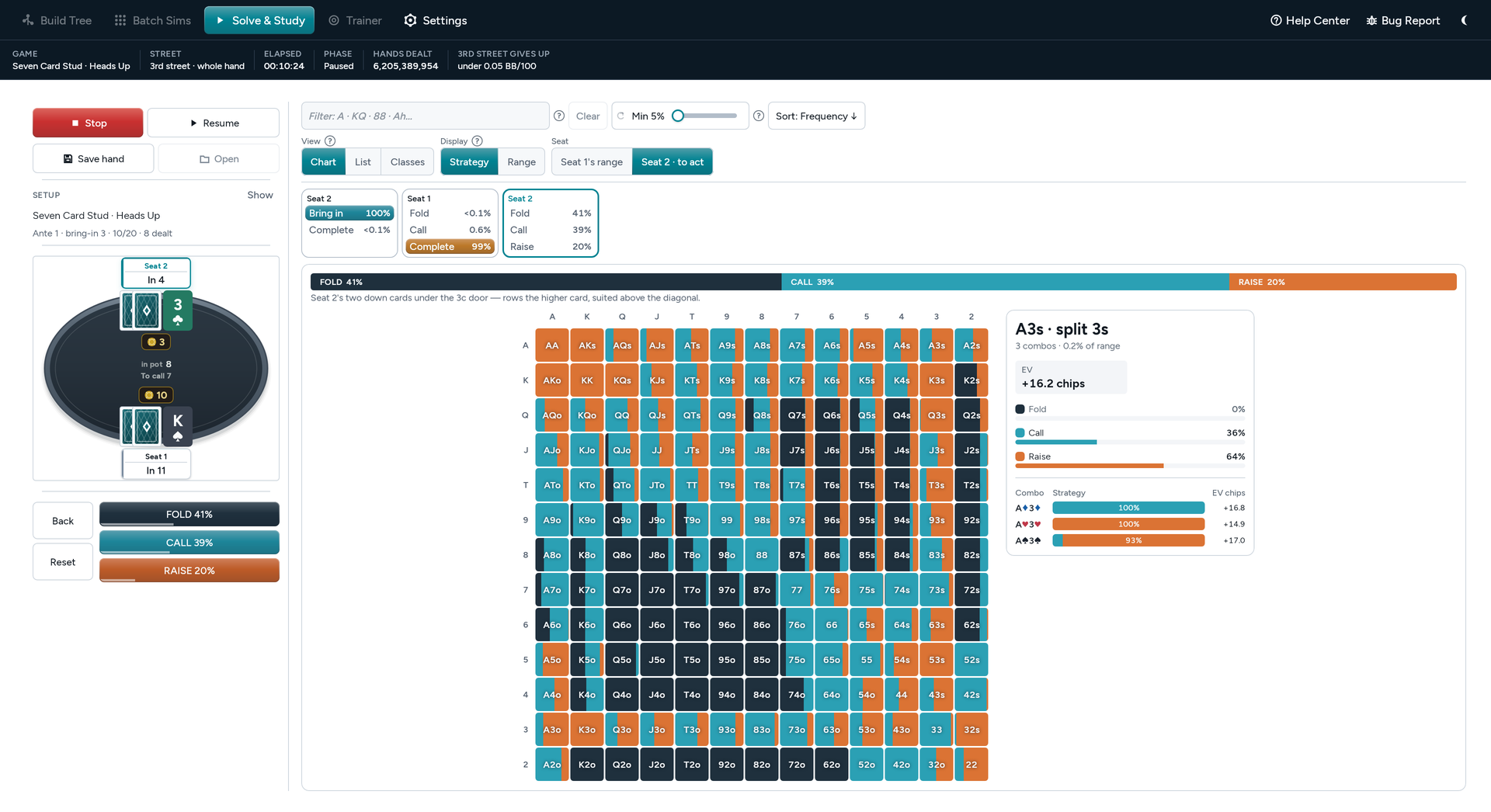
- Stud (beta) Seven Card Stud, Razz, Stud Hi-Lo, High-Low Chicago and Five Card Stud: whole hands from the door cards, heads-up or three-handed, with your own ante, bring-in and limits, and every heads-up spot from the late streets solved exactly.
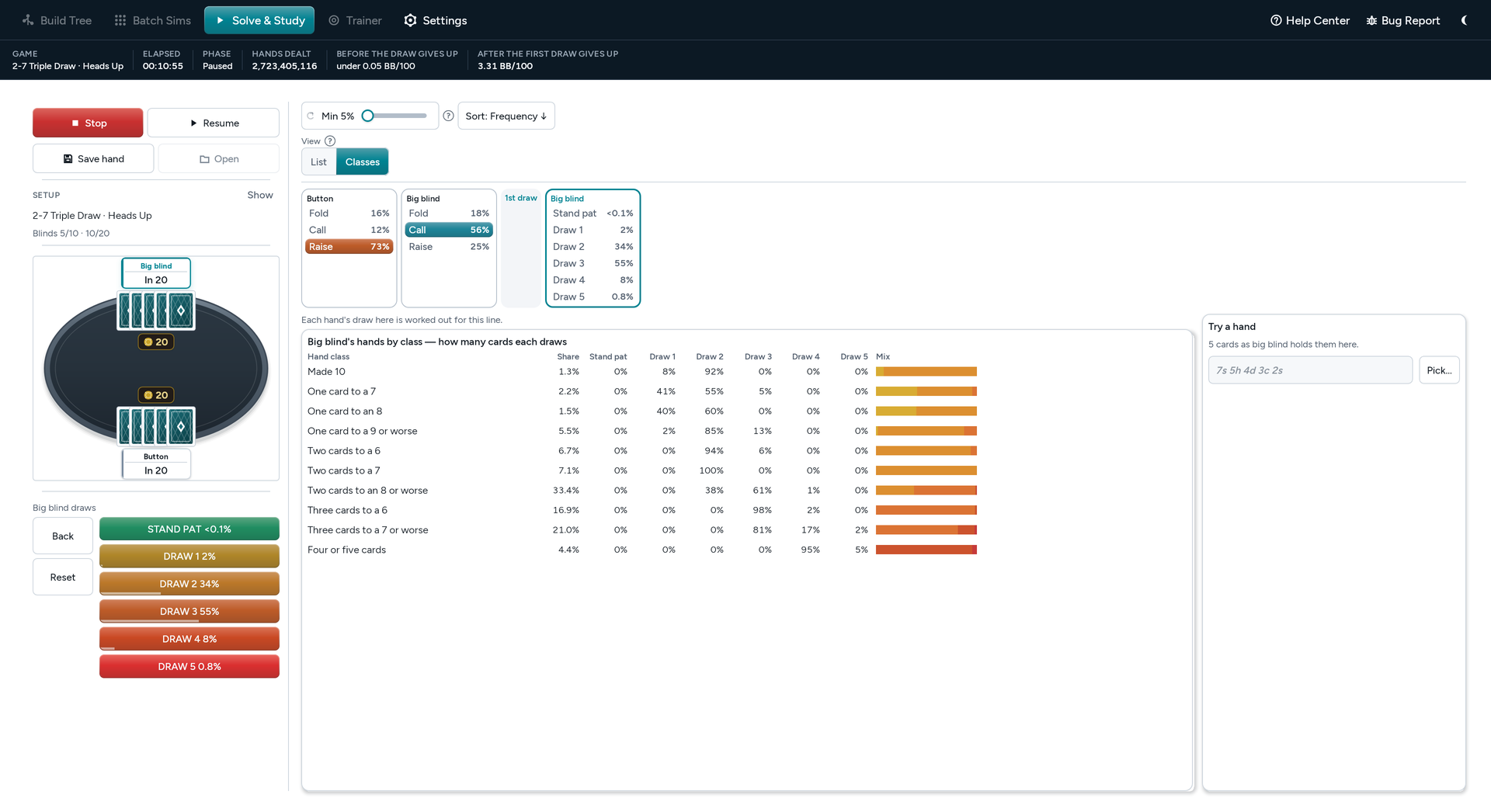
- Draw (beta) 2-7 Triple, Double and Single Draw, A-5 Triple, Double and Single Draw, Badugi, Badacey and Badeucey: heads-up hands from the deal, every bet and every draw, with the last betting round solved exactly. Single draw also plays at no limit and pot limit.
- Bomb pots and double boards Bomb pots in every game: everyone antes and the hand starts on the flop. Double board on any tree that starts on the flop or later, in every game except hi-lo.
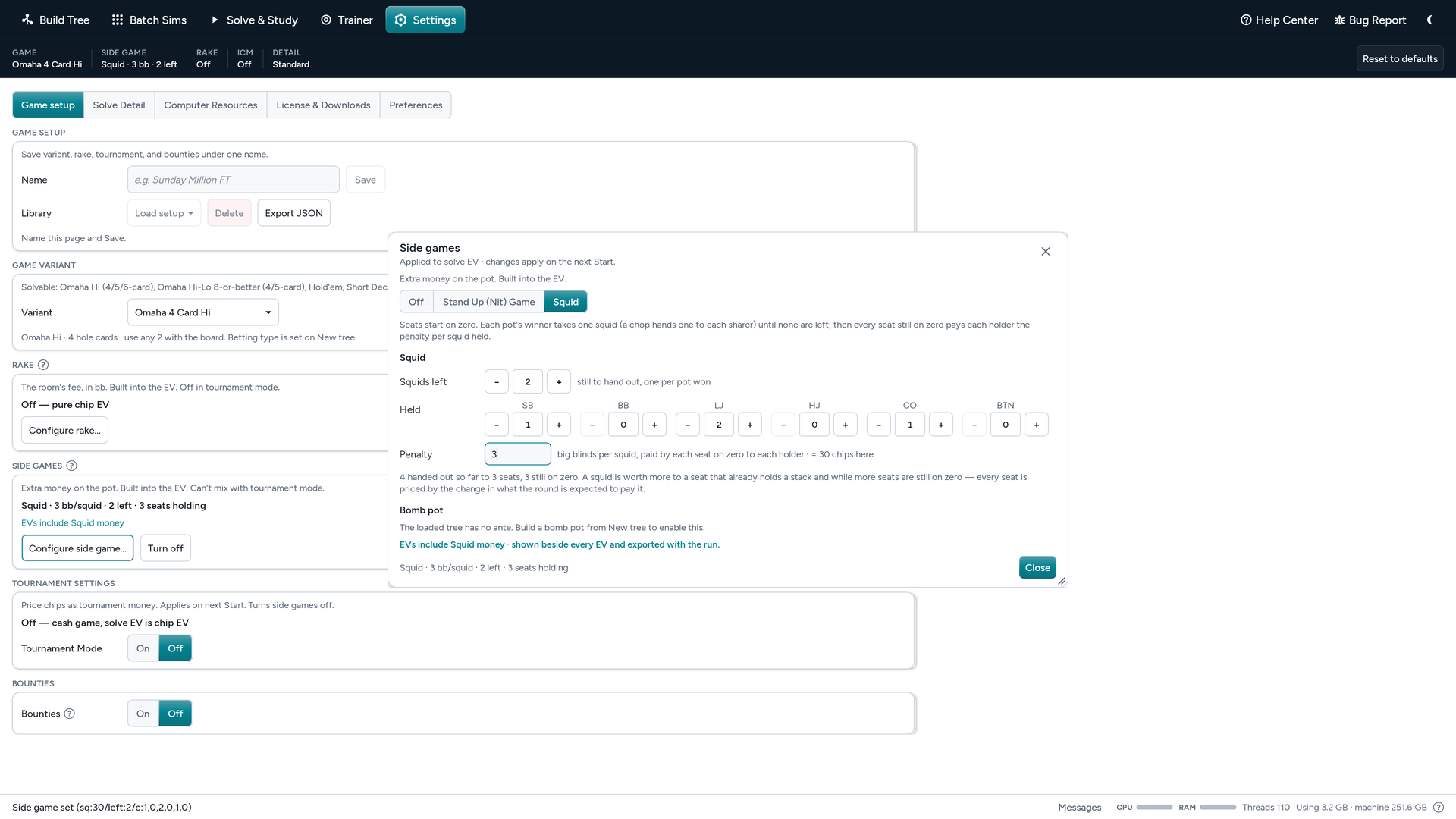
- Stand Up (Nit) Game and Squid Game The side money is priced into every EV, so you see how these games change your ranges. See Stand Up Game and Squid Game.
- Antes, straddles and rake Antes, big-blind antes, straddles, double straddles, button straddles and the button blind. Rake presets for online and live games, or set your own rules.
- Saved game setups Save a whole game setup, with its rake, side game, tournament and bounties, under a name in the Library, and load it in one click.
Tournaments
Solve for the payouts.
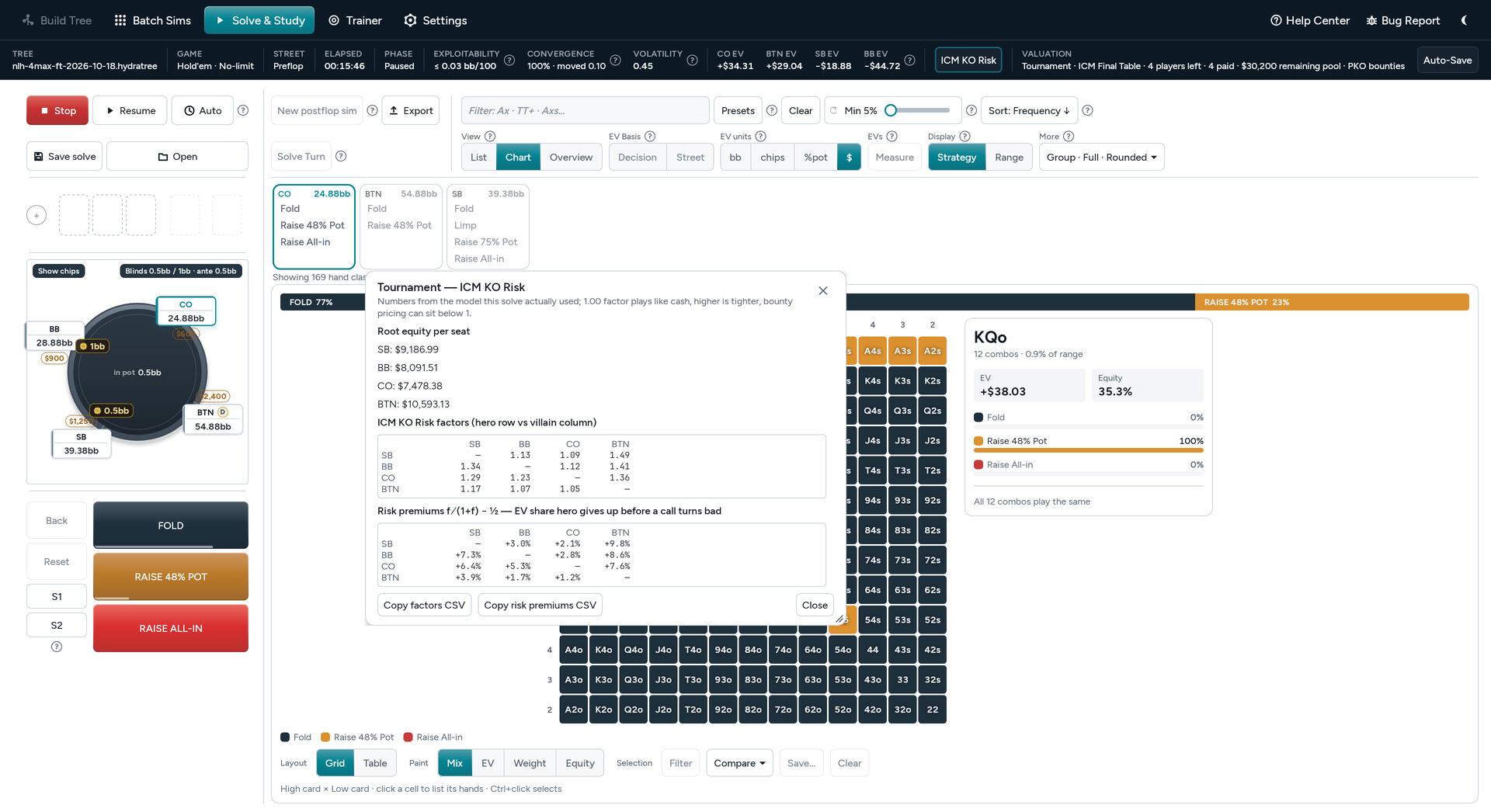
- ICM and Future Game Switch from Chip EV to ICM and the strategy changes. Future Game looks ahead round the table, so the blinds still to come, position and stack sizes are priced too.On a final table of two to five players, pick 2, 4 or 6 orbits. On a multi-table event, Field decays over future hands brings the bubble closer while your table plays. Future Game covers every game except Short Deck and hi-lo.
- Bounties Progressive (PKO), Jackpot PKO (GGPoker Ocean KO, Winamax Space KO), fixed (KO) and Mystery Bounties, with the bounty money in every decision.
- Satellites Satellite (Target Stack) prices every chip as a share of a seat. Enter the target stack and what a seat is worth.
- Payout structures Start from a real event’s payouts, build one from field size and the share paid, or type your own.
- Bubble factors and risk premiums For every pair of seats, so you can see who can’t afford to call. The Risk button on the Solve strip opens them, named for the model: ICM Risk, Future Game Risk or Satellite Risk.
Files
Save it, export it, study it anywhere.
-
Save as .hdr or .hds
Save as
.hdrto keep solving later. Save a snapshot as.hds, with 1, 2, 3 or all streets: a smaller file to browse, train and export, which cannot resume. -
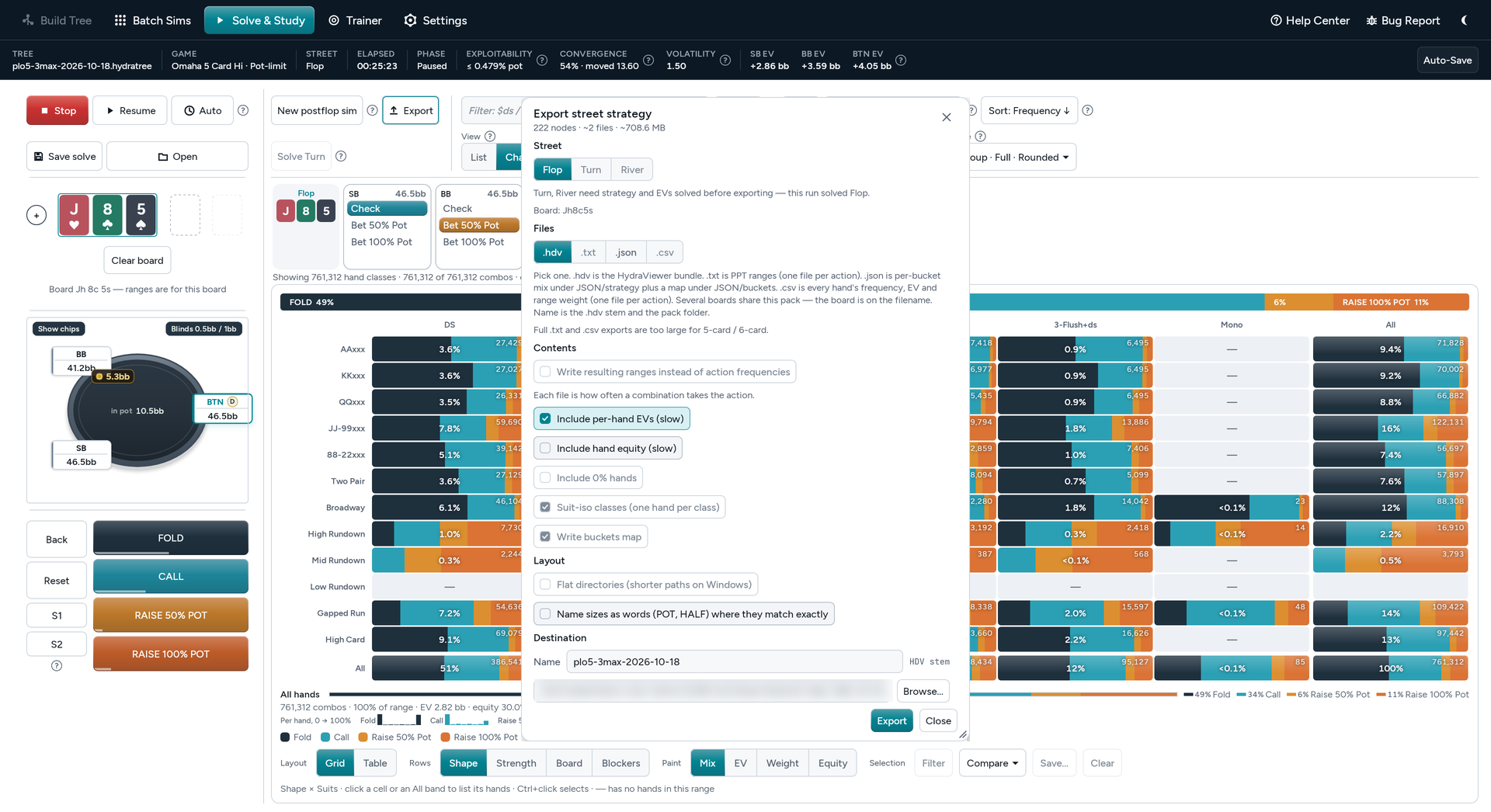
Export a street
As
.hdvto study in HydraViewer, with each hand’s equity if you tick it, or as.json,.txtor.csv. The five- and six-card games export.hdvand.json. -
Export ranges and pictures
Ranges as PPT, Pio, CSV,
.p4rgor a template you define. Save the list or chart on screen as a PNG. - HDS Shop Buy finished preflop solves in the HDS Shop, ready to open in HydraSolver and build postflop from.
App
Help, shortcuts and updates built in.
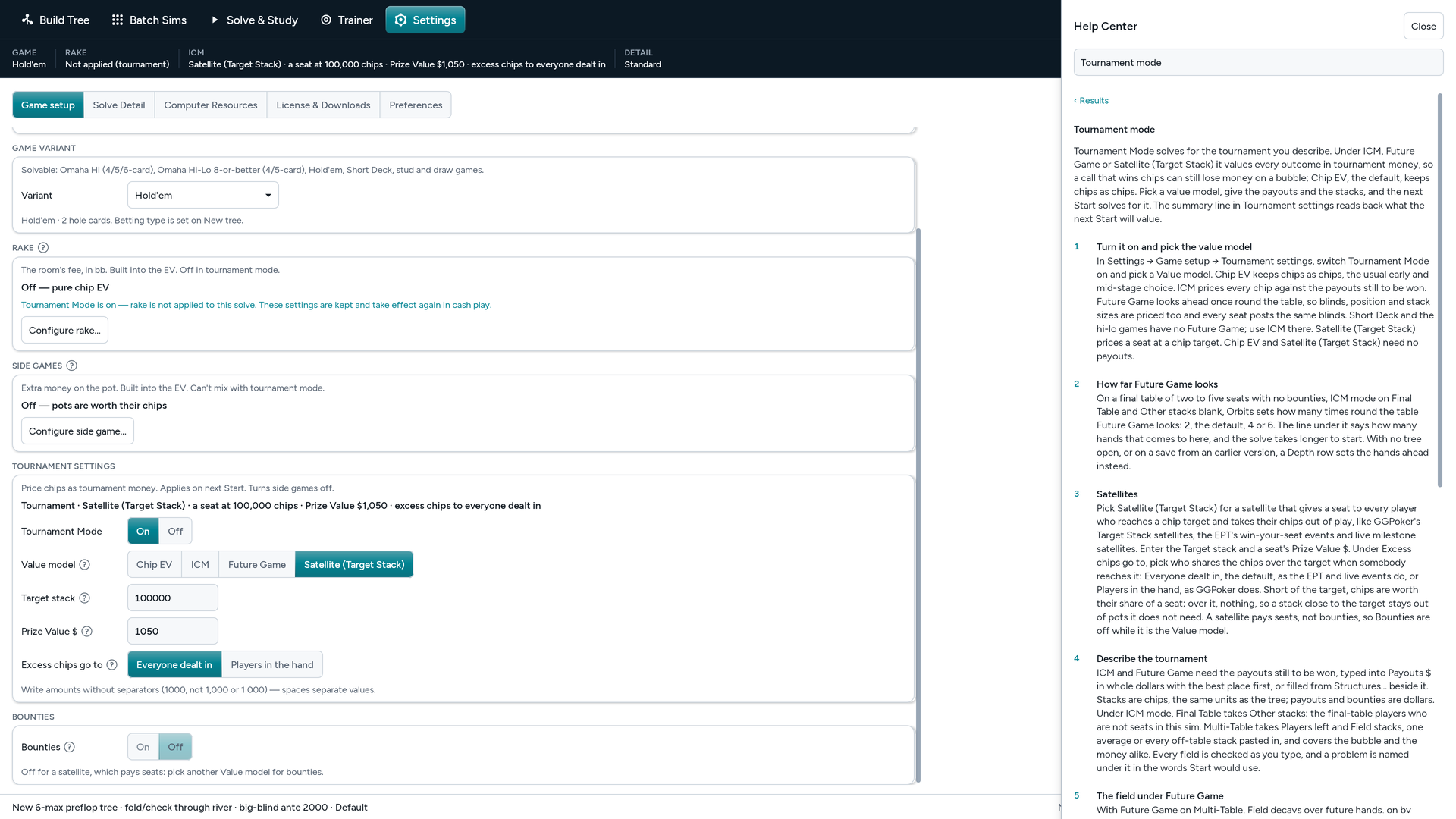
- Help Center F1 opens a searchable Help Center inside the app, with Show me walkthroughs that point at the controls. Click any “?” for a short card about that control, and the Glossary explains every term.
- Command palette Ctrl+K finds any screen, dialog or command by name. The actions you use most have single-key shortcuts, which you can turn off in Preferences when you only want keys to type.
- Dark Mode, scale and colors Switch the entire GUI to Dark Mode, set the scale from 75% to 175% and the density to fit your screen, and pick your own color for every action in the charts.
- A second window Open a second HydraSolver window with its own RAM, to run a second sim or study while the first one solves.
- Maps on any drive Move maps… puts the game maps and the Study scratch file on any drive you pick.
- Updates inside the app Download and install updates without leaving HydraSolver. What’s New lists what each one changes.
License
One price. Everything included.
- Single $899 · Dual $1,299 One machine or two. Every game, every feature and every update for a year. No tiers, no add-ons.
- 10-Day Trial · $150 The full app on one machine for 10 days. Upgrade to Single or Dual for the difference.
- On your desktop Runs on your own Windows PC. Your trees, ranges and solves stay on your computer.
- Move it yourself New computer? Release the old one in Settings → License & Downloads and activate the new one. No email needed.
- Card or Bitcoin Pay how you like. Need more RAM than your desktop has? Rent a server from us.